GlowUp: AI editing for quick social photos and avatars
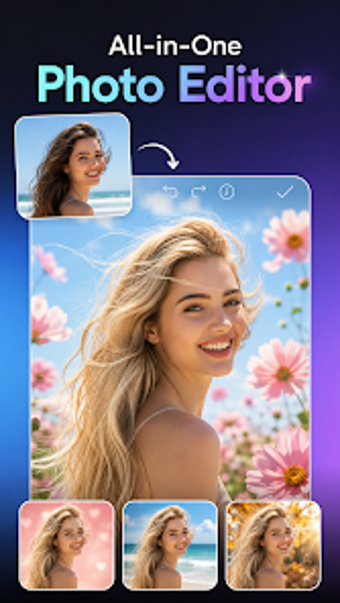
GlowUp - AI Photo Editor, from BlueGrowth, is a mobile photo editor aimed at social creators and hobbyist photographers who want faster edits. The app applies on-device AI to repair blur, boost detail, and crop or extend backgrounds automatically, while offering manual sliders for exposure and color. Key tools include generative background expansion, a one-tap Magic Eraser, portrait retouching, and avatar filters. The app suits casual editors who need quick, polished images for social sharing and simple creative experiments.
Quick fixes make everyday photos usable
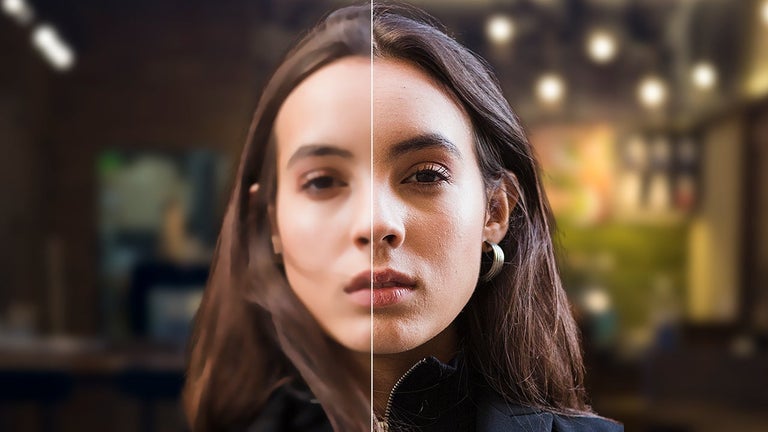
Fast Photo Enhancer targets the most common daily problems photographers face: blur, low resolution, and poor lighting. The tool boosts detail and adjusts contrast automatically, so a poorly lit smartphone shot can reach acceptable shareable quality without step-by-step editing. This behavior supports users who want to correct images on the go rather than perform multi-stage desktop workflows.
Background and object edits handle complex framing
Generative background expansion and the app’s Smart Object Removal let users reshape a scene without starting over. The AI Expand feature extends image boundaries with generated content that the tool aims to blend naturally with the source, while the Magic Eraser removes unwanted elements such as photobombers or text. Together these tools address composition fixes that normally require manual cloning or content-aware fills.
Portrait and avatar tools suit social profiles
Pro Portrait Retouching and the set of creative avatar and cartoon filters serve users who prepare images for profile photos and social posts. Portrait tools focus on skin smoothing and facial enhancement, and the avatar modes transform selfies into stylized art for online profiles. This combination lets hobbyists produce both polished portraits and attention-grabbing stylized images from the same app.
Android support, approachable UI, and active development
The app runs on Android devices and uses a design that eliminates a steep learning curve by pairing automated AI edits with manual controls, including a precision editor for brightness, exposure, and saturation. The developer builds AI-driven mobile utilities and the app receives frequent updates and an expanding set of generative tools, which suggests ongoing refinement rather than a static feature set.
To sum up, GlowUp is a practical mobile editor for casual creators
GlowUp is a practical option for creators who want faster phone-based editing and a space to experiment with generative styles. Expect compatibility to vary across Android devices, a consideration for anyone using older phones. For users who prioritize rapid turnaround and iterative creative play on a handset, the app fits well into a social posting workflow.